Supermove is the agentic motion studio.
Supermove turns a prompt into motion design, reviews its own takes, and lets you tweak and refine the output. Work with GPT-6 Astra, Claude Fable 5.1, Opus 5, Sonnet 5, and more.
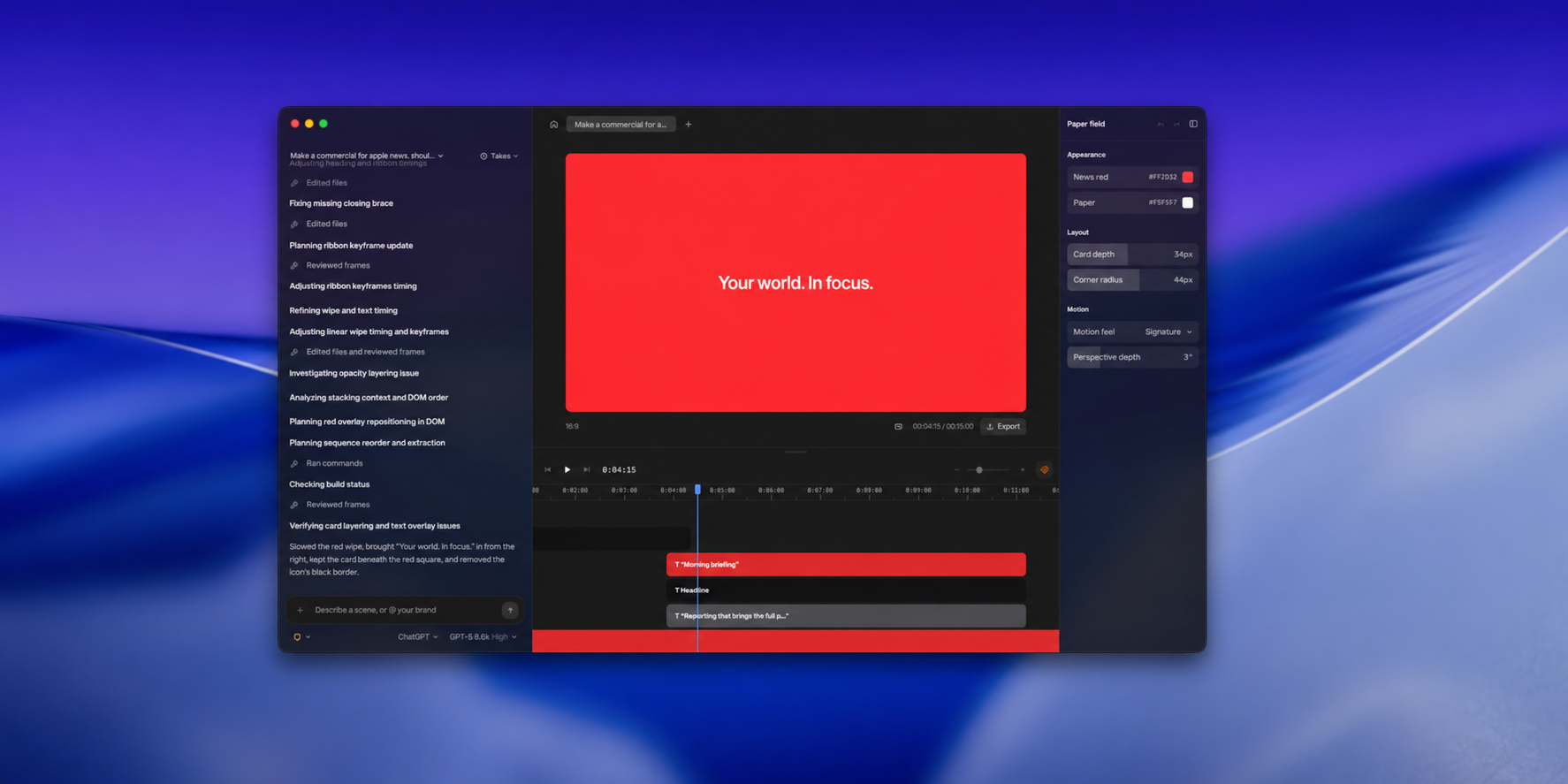
Why it holds up
Prompt, then steer
Ask for a change the way you would ask an editor. It revises the take you have instead of rolling a new one.
It reviews its own takes
The agent checks the frames it rendered against your brief, fixes what fails, and tells you what it changed.
Real lens and camera
Lens blur, focus trim, camera height, dolly, glow, vignette. Cinematography as values, not adjectives.
A timeline you can read
Every beat lands on its own layer with its own keyframes, so you can see which instruction made which motion.
Your model, your plan
Choose the model that drives the studio from inside the app. Your existing login, your existing limits.
Scrub, then export
Play the take from any point on the timeline. When it holds, export the file. No render queue in between.
Download
Get Supermove
Questions
What does Supermove actually make?
Short cinematic films — logo reveals, product shots, title and lyric work. You describe the piece, the agent shoots it, and you export a video file.
Do I need to know After Effects?
No. The first take comes out of a sentence. The lens and camera controls are there for the moment you want them, and stay out of the way until then.
What does “agentic” mean here?
It means the studio does not hand you its first guess. It renders a take, pulls frames from across it, checks them against your brief, and revises — then explains what it changed.
Can I change what it makes?
Yes, without leaving for another tool. Every property the agent set shows up in the Tweaks panel as a value, and every beat sits on the timeline as a layer you can retime.
What do I need to run it?
A Mac. Supermove is a desktop app, not a browser tab — the timeline and the preview run locally. Windows and Linux are not available yet.